


Poster Maker - Flyer Maker
4.2344.00 Reviews
App Specs
- Version
- 10.6.6
- Updated On
- License
- Free
- Downloads
- 5,000,000+
- Developer
- Maxlabs Graphic Design Tools
- Categories
- Art & Design
- Platform
- Android, iOS
Screenshots
 Analysis by AppCompare
When I need a graphic for a community notice, a small sale, or an event invitation, I want to spend my time choosing the message—not learning desktop design software. Poster Maker - Flyer Maker is aimed at that quick, phone-first job. My impression is that it works best as a practical shortcut: it helps turn a rough idea into a shareable layout, while leaving more demanding design work to tools built for deeper control.
A quick-design tool with a clear audience
This is a free art and design app from Maxlabs Graphic Design Tools, and its focus is narrow in a useful way: making visual material such as posters and flyers. It is rated for Everyone, so it can suit casual projects at home or simple materials for a club, class, or local business. The average rating is 4.5 from around 55,000 ratings, and it has passed five million installs. Those figures suggest broad use, though they do not tell you whether its particular workflow will suit your needs.
I would start here if I needed a graphic today and did not already have a preferred design tool. A template-led app can help me get past the blank canvas, especially when I have only a phone nearby. It is less compelling if I need exact brand standards, intricate illustrations, or close control over every detail. In those cases, a more advanced editor on a larger screen is usually the better fit.
Where the template approach helps
The main practical benefit is having a starting layout rather than building every element from scratch. For a bake sale announcement, for example, I can begin with a suitable arrangement, replace its wording with the event details, and adjust the visual choices until the important information stands out. The same basic method can work for a club notice or a one-off promotion. I would treat templates as scaffolding, not finished work: changing the headline, colors, and imagery helps the result feel relevant instead of generic.
One useful habit is to decide the main message before opening the editor. A poster often has limited space, and adding every detail at the same visual weight can make it hard to scan. I would put the event or offer first, then the date or key action, and keep supporting information secondary. After that, I would check the design at phone size. If the headline is not readable when the image is small, decorative elements are not going to rescue it.
What the current version tells me
The app was released on April 3, 2019, and the current version is 10.4.0-4. That history shows it has continued through multiple versions, but a version number alone cannot tell me which features changed or how earlier projects behave. I would not read it as proof that the app has recently added a particular tool. What matters more when deciding whether to install it is whether its present template-based approach matches the work I actually need to do.
For someone already using it, a sensible approach is to keep a copy of a finished design somewhere outside the editing workflow before making major changes. That is a general precaution for any mobile creative project, not a claim that this app loses work. It also makes it easier to reuse the final image if I later want to make a small announcement variation, such as changing a date or venue, without rebuilding the design from memory.
Worth Reading Before You Choose

EA SPORTS FC Mobile 26 Is a Bigger Football Game, but It Takes Time

Flipboard Shows What News Apps Must Do Beyond the Feed

Switching to Android Auto Means Rethinking Your Driving Routine

Google Calendar Makes a Crowded Week Easier to Manage

Ludo King Makes the Most of the Minutes Between Plans

Baby Panda World Brings Quick Play to Modern Phones, but Its Game Library Feels Busy
Free to try, with a spending decision
There is no upfront price to install it, but in-app purchases range from $4.99 to $49.99 per item. That makes it worth exploring the free experience before committing to a purchase. I would first make a draft that resembles a real task of mine, then see whether the available choices let me finish it to a standard I am happy to share. If a paid item is involved, I would check exactly what it unlocks and whether I expect to use it more than once rather than buying simply because a locked option looks attractive.
This is a meaningful trade-off for occasional users. If I make one poster every few months, a free option may be enough, and a paid extra may not earn its keep. Someone who prepares promotional graphics regularly might value a wider set of design choices more, but should still compare the cost with other tools they already use. The right question is not whether premium content exists; it is whether it saves time or improves the specific work I need to publish.
Sharing, printing, and a final check
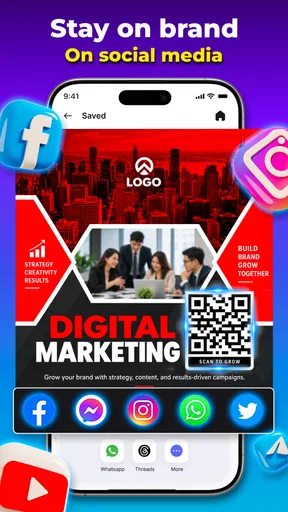
The store summary presents the app as a way to create graphics for social media, while the existing app experience describes export for print as well. In either case, I would inspect the finished file before relying on it: check that the text is correct, that the important details are easy to read, and that the image looks right at its intended size. A design that looks balanced while zoomed in can feel crowded in a social feed or too small on a printed page.
For a simple online announcement, I would prioritize a clear headline and a strong contrast between text and background. For printing, I would be more cautious about small type and fine details, since a phone preview is not the same as seeing the design on paper. If a project has strict print specifications or must match a business identity precisely, I would use a tool that gives me reliable control over those requirements instead of assuming a template will handle them automatically.
How it fits beside other design options
Compared with starting from a blank canvas in a general-purpose graphics editor, a poster-focused template workflow is quicker to approach and easier for an occasional user to understand. Compared with a presentation or document app, it is more naturally centered on a single visual announcement rather than a page of mixed content. The trade-off is flexibility: a specialist desktop editor is more suitable when I need detailed alignment, repeatable brand rules, or complex image work. I see this app as a convenient first stop, not a replacement for every kind of design software.
It may also not be the right choice if I need several people to review and revise the same design, or if my work depends on keeping a carefully managed library of brand assets. Those needs call for a workflow built around collaboration or asset control. For a one-person task—making a clear invitation, notice, or simple promotional graphic—the template approach is more proportionate and avoids turning a small job into a technical project.
A practical workflow for a real task
Imagine I am helping organize a neighborhood book exchange and need a notice for a group chat by the evening. I would first gather the essentials: the event name, time, place, and one contact or action. Then I would choose a layout that leaves enough room for those details, replace the sample wording, and remove decorative items that compete with the information. Before sharing, I would ask someone unfamiliar with the event to glance at the image and tell me what they think it is about. If they cannot identify the key details quickly, I would simplify it.
That last step is a useful design check, not busywork. Template apps make it easy to add elements because the options are visible, but more stickers or shapes do not necessarily make a poster more effective. I would use one visual accent to guide attention and leave open space around the main message. For recurring events, I would also keep the same headline style and color choices across versions, changing only the details that need to change. That creates a recognizable look without requiring a full brand system.
One limitation of a phone-centered workflow is that fine adjustments can become tiring on a small screen. I would make the large decisions first—layout, wording, and contrast—before spending time nudging smaller details. If the editor makes a particular adjustment awkward, I would consider whether it matters to the audience rather than polishing endlessly. For a casual social post, clarity usually matters more than pixel-level alignment; for a professional campaign, that compromise may be unacceptable.
Who is likely to enjoy it, and who may not
I can recommend trying it to people who make occasional event announcements, informal promotions, invitations, or social graphics and want a guided starting point. It is especially useful when the alternative is postponing a design because opening a complex editor feels like too much effort. Beginners can focus on the message and basic visual choices rather than learning a large set of tools before they can produce anything.
I would steer professional designers and users with strict production requirements toward a more controllable editor. The same goes for anyone who needs precise print setup, advanced image editing, or a dependable multi-person approval process. The app’s appeal is speed and accessibility, not proof that every demanding workflow can be handled from a phone. Knowing that boundary helps set fair expectations and prevents frustration.
People considering it may also wonder whether they have to pay to make anything useful. The app is free to install, and purchases are optional in the sense that they are separate in-app items; I would test a complete draft before deciding whether a paid choice solves a real problem. Another practical question is whether it works for a quick social graphic or a printed notice. It is presented for social media, and print is also part of the described use, but I would inspect the exported result and check any requirements from the printer before ordering copies.
Getting Started with Poster Maker - Flyer Maker
First things first, downloading the app was a breeze. It’s available on both Android and iOS, so no one's left out of the design fun. Once you fire it up, you're greeted with a clean and intuitive interface. No complicated menus or overwhelming options—just straightforward tools to get you started on your design journey.
Exploring the Features
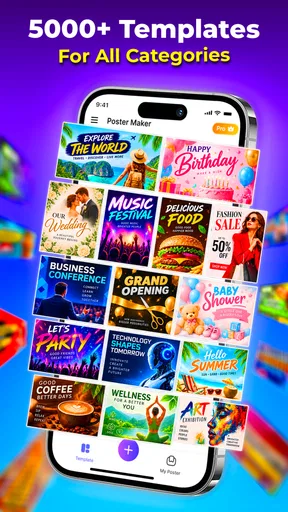
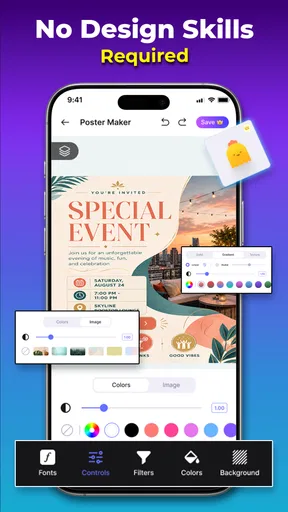
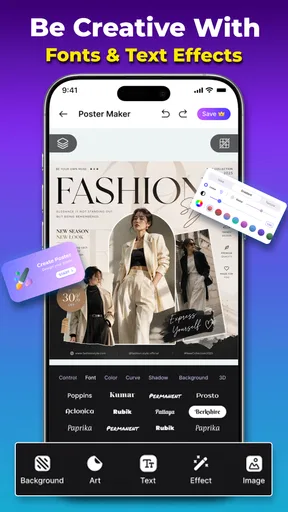
One of the standout features of Poster Maker - Flyer Maker is its vast library of templates. Whether you’re looking to create a concert poster, a business flyer, or even a digital invitation, you’ve got a plethora of options to choose from. Each template is fully customizable, so you can tweak it to your heart's content. Changing colors, fonts, and images is as easy as pie.
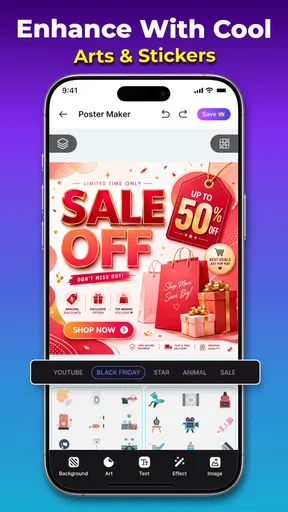
The app also offers a rich variety of design elements like stickers, icons, and shapes, which you can drag and drop onto your canvas. This is perfect for adding a bit of flair or personal touch to your designs. And guess what? No need to worry about resolution. The app allows you to export your work in high quality, ready for print or social media sharing.
User Experience: The Good Stuff
Now, let’s talk about usability. This app is designed with the user in mind. The learning curve is practically nonexistent. Even if you’ve never designed anything before, Poster Maker - Flyer Maker guides you through the process like a helpful friend. The drag-and-drop functionality feels smooth, and the app doesn’t lag, even when you’re working on a more detailed project.
Moreover, the app supports multiple languages, which is a nice touch for non-English speakers. It’s all about inclusivity, right? And if you ever feel stuck or need a bit of inspiration, there’s a helpful community and tutorial section to check out.
What Could Be Better?
While the app is pretty impressive, it’s not without its quirks. Some templates are locked behind a paywall. While the free options are decent, you might find yourself tempted to dip into the premium content for that extra polish. Also, while the app is generally stable, I did encounter a couple of minor bugs—nothing that a quick restart couldn’t fix, but still worth mentioning.
Another thing to consider is the ads. They’re not overly intrusive, but they do pop up now and then. If you're going to use the app frequently, you might want to consider going ad-free.
Final Thoughts on Poster Maker - Flyer Maker
Overall, Poster Maker - Flyer Maker is a nifty tool for anyone looking to create attractive posters and flyers without diving into complex design software. It’s user-friendly, packed with features, and definitely worth a spot on your phone. Whether you’re a professional or just looking to dabble in design, this app serves as a great companion to unleash your creativity.
So, next time you need a quick design fix, give Poster Maker - Flyer Maker a whirl. You might just find yourself enjoying the process as much as I did!
What to watch as you keep using it
The current version is 10.4.0-4, and the app’s release history reaches back to April 3, 2019. That gives existing users a reason to think of it as an established product rather than a brand-new experiment, but it does not tell me which changes arrived in any particular update. I would judge future releases by practical improvements: whether editing feels dependable, whether the available designs continue to serve everyday needs, and whether the cost of optional content remains worthwhile for my own use.
For now, I would approach it with a simple test: make one real poster from beginning to export, using only the options I would genuinely choose. That reveals more than browsing templates without a project in mind. If the workflow feels comfortable and the result communicates clearly, it has earned a place in my toolkit. If I keep running into limits around precision, collaboration, or print requirements, I would move that project to a more capable editor rather than force the app into a job it was not built to do.
My recommendation
My overall view is that Poster Maker - Flyer Maker is best for quick, approachable visual communication. Its templates and movable design elements help beginners get a first draft moving, while its free entry point makes it easy to see whether the style of editing suits you. Just keep an eye on readability, check the finished image at its intended size, and treat paid choices as a decision about a specific need rather than a shortcut to good design.
Pros
- Intuitive and user-friendly interface.
- Wide range of templates available.
- Easy to customize text and images.
- Supports high-resolution exports.
- Frequent updates with new features.
Cons
- Limited free version capabilities.
- Ads can be intrusive at times.
- Requires internet for some features.
- Some templates can be repetitive.
- Occasional glitches on older devices.
FAQs for Poster Maker - Flyer Maker
What features does Poster Maker - Flyer Maker offer?
Poster Maker - Flyer Maker provides a wide range of templates and design tools to create stunning posters, flyers, and social media graphics. Users can access customizable backgrounds, fonts, and stickers. The app also allows you to import your own images and offers high-resolution exports for professional use.
Is Poster Maker - Flyer Maker user-friendly for beginners?
Yes, the app is designed with a user-friendly interface that makes it accessible for beginners. It includes intuitive drag-and-drop functionality and a simple navigation system. Additionally, it offers tutorials and tips to help new users quickly get accustomed to the design process.
Can I use Poster Maker - Flyer Maker for commercial purposes?
Poster Maker - Flyer Maker allows users to create designs for both personal and commercial use. However, it's important to check any specific licensing agreements or restrictions regarding the use of certain templates or graphics within the app, especially for commercial projects.
Are there any in-app purchases or subscriptions in Poster Maker - Flyer Maker?
The app is free to download, but it offers in-app purchases and a subscription model for premium features. These may include access to exclusive templates, additional design elements, and the removal of ads. Users can choose between a monthly or yearly subscription, depending on their needs.
Which platforms support Poster Maker - Flyer Maker, and what are the system requirements?
Poster Maker - Flyer Maker is available for both Android and iOS devices. It requires iOS 11.0 or later for Apple devices and Android 5.0 or later for Android devices. Ensure your device meets these requirements to enjoy a smooth and efficient design experience.


